Gravity
Use gravity to control which part of an image should be prioritized by transformations that need placement or focus.
Overview
Gravity is commonly used with Crop, Zoom, resizing operations that need focus, and watermark placement. It tells Imgwire where to anchor the operation: center, an edge, a corner, or content-aware focus such as attention or entropy.
You can also use gravity with image resizing operations such as Width, Height, Resizing Type, and preset variants. For example, use gravity=attention with a fixed width and height, or with @thumbnail, when profile pictures or user-uploaded thumbnails should stay focused on the most important part of the image.
Syntax
| Field | Value |
|---|---|
| Canonical parameter | gravity |
| Alias | g |
| Common values | center, north, south, east, west, northeast, northwest, southeast, southwest, attention, entropy |
| Shorthands | ce, n, s, e, w, ne, se, nw, sw, noea, soea, nowe, sowe |
Example
https://cdn.imgwire.dev/{organization_id}/{environment_id}/{image_id}?crop=640:360:attention
https://cdn.imgwire.dev/{organization_id}/{environment_id}/{image_id}@thumbnail?gravity=attention&format=auto&quality=auto
image.url({
  crop: '640:360:attention',
  format: 'auto',
  quality: 'auto',
});
image.url({
  preset: 'thumbnail',
  gravity: 'attention',
  format: 'auto',
  quality: 'auto',
});
imgwire images url img_123 --crop 640:360:attention --format auto --quality auto
Live examples
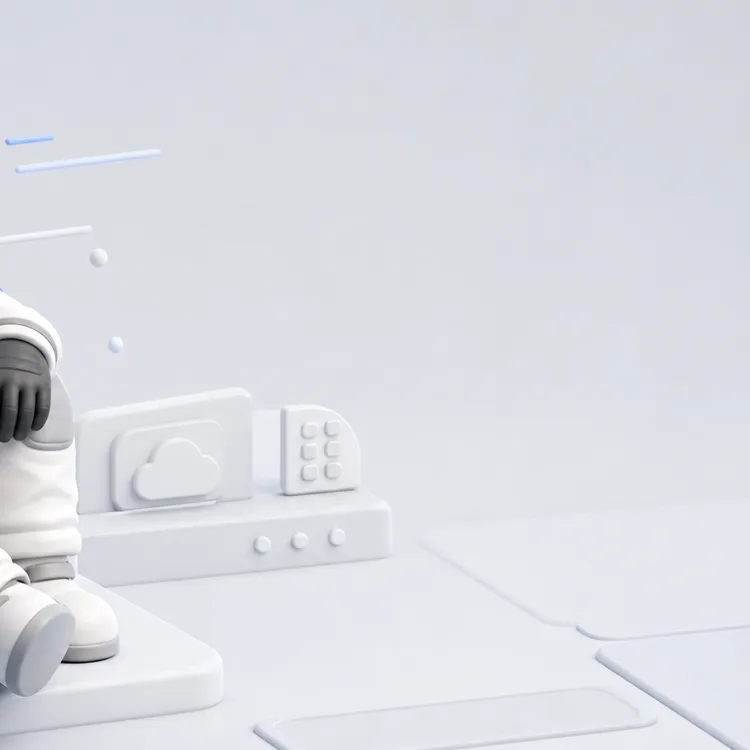
These examples use gravity inside the crop value. The source is a wide off-center astronaut portrait, so attention can find the face while southeast anchors to the quiet lower-right background.

| Center | Attention | Southeast |
|---|---|---|
 |  |  |
Best practices
- Use
attentionwhen the important region may vary across user-uploaded images. - Use explicit directional gravity when your image composition is predictable.
- Pair
gravity=attentionwith@thumbnailfor profile pictures and other user-uploaded thumbnail surfaces. - Pair
gravitywith fixedwidthandheightresizing when the output frame should keep a subject in view. - Test crops against real content from your app before committing a gravity default.
- Keep gravity choices consistent for repeated UI components.
Common mistakes
- Assuming center crop is always the safest crop.
- Using corner gravity for mixed user content without testing.
- Forgetting that gravity only matters when another transformation or preset needs placement or focus.
Related pages
Last updated at: May 10, 2026