Normalize
Use the normalize transformation to stretch image luminance levels in a delivered image variant.
Overview
Normalize can help low-contrast images use more of the available tonal range. It is useful for previews, generated assets, content images that look flat, and document images where stronger contrast can make text easier to read before OCR or review workflows.
Syntax
| Field | Value |
|---|---|
| Canonical parameter | normalize |
| Aliases | norm, normalise |
| Value syntax | Boolean, lower:upper, or an SDK object with lower and upper |
Example
https://cdn.imgwire.dev/{organization_id}/{environment_id}/{image_id}?normalize=true
image.url({
  normalize: true,
  format: 'auto',
  quality: 'auto',
});
imgwire images url img_123 --normalize true --format auto --quality auto
Before and after
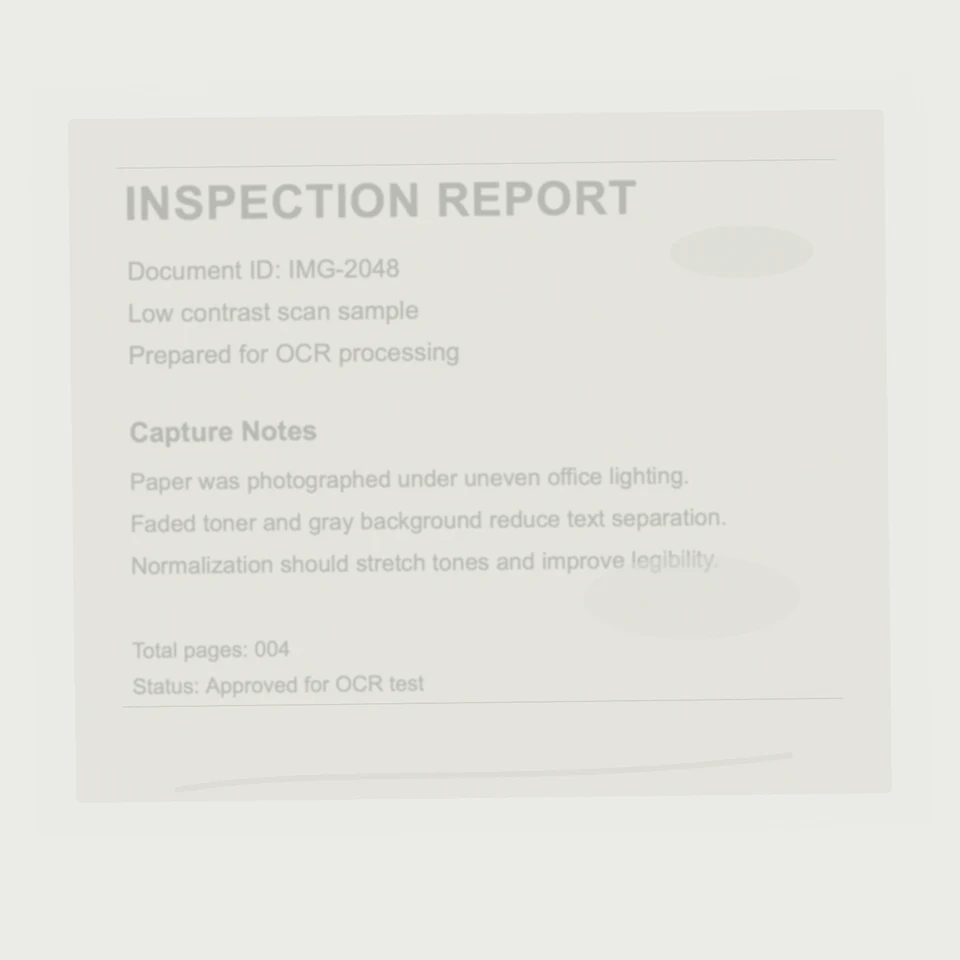
This example uses a low-contrast scan with faded text. Normalization stretches the tonal range so the document text is easier to read and more suitable for OCR preprocessing.

Best practices
- Use normalize on image classes that benefit from tonal correction.
- Use normalize for low-contrast document captures when you need more readable text for OCR or human review.
- Test on real uploaded content because normalization can affect images differently.
- Use Contrast when you need a simpler contrast adjustment.
Common mistakes
- Normalizing images where accurate tones are required.
- Applying normalize globally without checking edge cases.
- Using normalize to compensate for poor source image capture.
Related pages
Last updated at: May 9, 2026